Free widget for Windows 10 and 11
Know how much AI you have left, before you hit the limit.
Overlord floats over your windows and shows how much of your Claude or Gemini plan you've used, and exactly when each limit resets. Your drives, CPU, RAM, network, USB devices and a world clock are one glance away too.
- Free to use
- Code-signed
- Installer or portable zip
- Your sign-ins stay on your PC
 Overlord⋯
4:00 PM
One small widget. Everything you check all day.
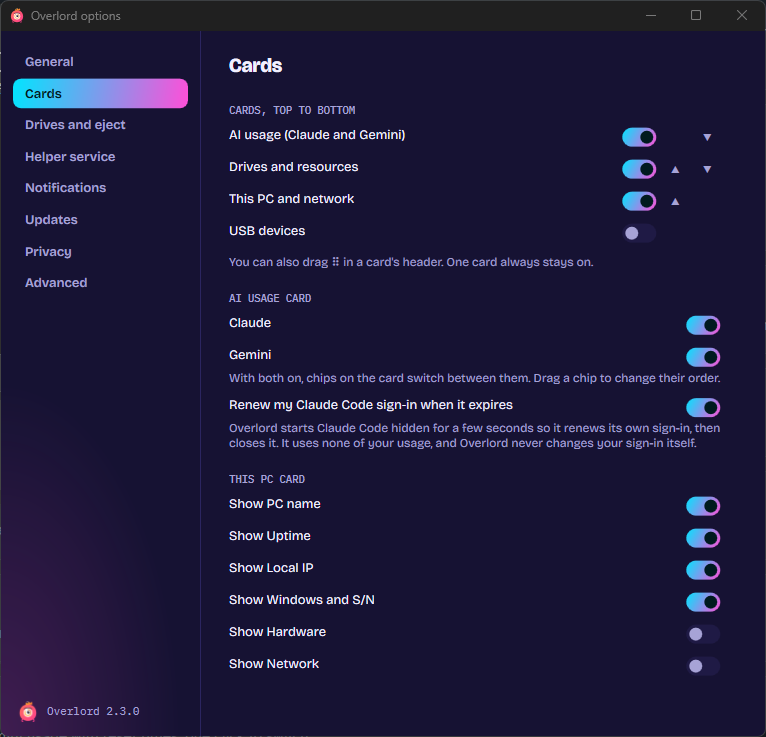
Turn on the cards you want, drag them into any order, and fold the rest away.
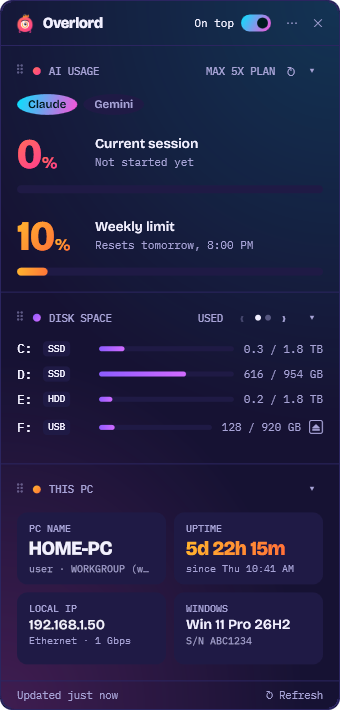
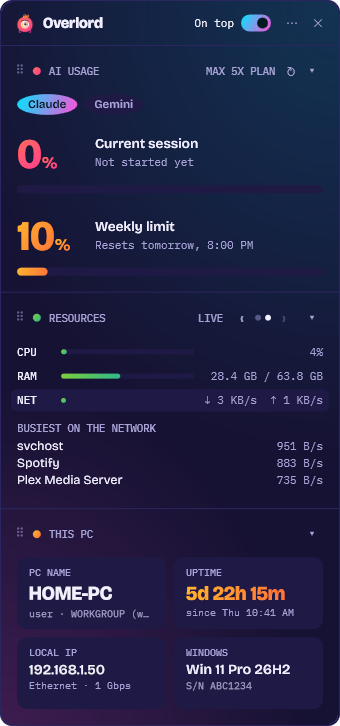
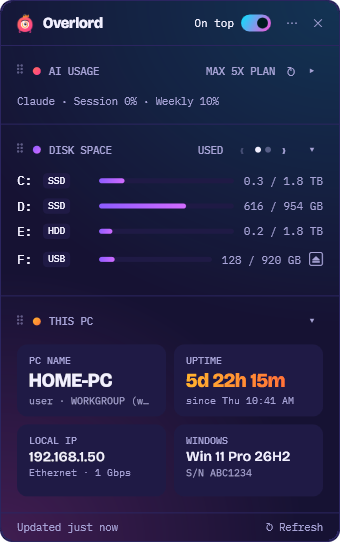
AI plan usage
Claude's current session and weekly limit with the time each one resets, a weekly sparkline, and a reminder 15 minutes before a busy limit resets. Antigravity's quota for each model, and one click to your Gemini usage page.
Drives
Free space on every drive, tagged SSD, HDD or USB. Eject a USB drive, see what's still using it when Windows won't let go, or Force Stop it.
Resources and USB
CPU, RAM and network with the busiest programs, which programs use the network, a USB devices card, and a program that starts by itself when you plug in its drive.
This PC
Your PC's name, uptime, Windows version, hardware and IP addresses as tiles. Click anything to copy it.
World clock
The time in the places you work with, with a day or night marker so you know before you message someone.
Stays out of your way
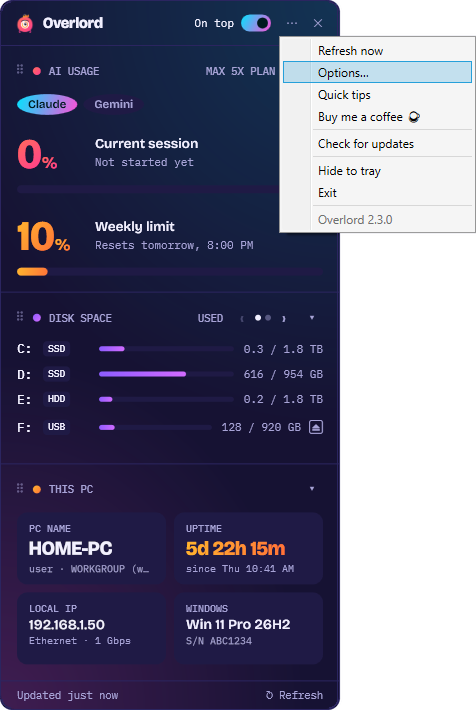
Always on top, or tucked behind Lord Blink near the tray. A compact mode, every setting in one Options window, and one-click updates when a new version is out.
New · USB auto-start
Plug in your drive. Your program starts.
Pick a program on a USB drive once, in ⋯ › Options › Drives and eject. Every time you plug that drive in, Overlord starts it for you, even if Windows gives the drive another letter. Overlord just needs to be running, and it can start with Windows. On Windows 11 it can put the program's icon right on the taskbar instead of hiding it under ^.
- Only programs you picked, never anything the drive asks for
- The program and the files beside it are checked each time; if any changed, even by an update, Overlord asks first
- Nothing starts while your PC is locked, and programs start as you, never as administrator
Pick a program on a USB drive, and Overlord starts it each time you plug that drive in, even if it gets another letter.
Meet Lord Blink. He never blinks.
The ring around his eye is a usage gauge, so a quick look at the tray tells you how close you are to your limit. Click him and the full widget comes back.
Seven themes, or match Windows.
Light, dark, or one of five extra color themes, all picked in Options.
See it on a real desktop.
Scroll sideways for more.
What you need
- 64-bit Windows 10 or 11
- For Claude usage: a paid Claude plan (Pro or Max) with Claude Code installed and signed in
- For Antigravity usage: a paid Google AI plan with Antigravity installed and running
- Neither? Turn the AI usage card off and use the rest
Private by design
Your sign-ins stay on your PC. Overlord only asks Anthropic for your Claude usage, checks bitsbybm.com once a day for a newer version (you can turn that off), and looks up your public IP only when you click Look up.
No ads, no account, no trackers.
Stop running out of AI mid-task.
Get the installer or the portable zip, the checksums and the full version history on the Overlord page at bitsbybm.com.